Two limits, two reasons
Download count caps how many times one customer can pull the file for one product — reach for it when a paid PDF or audio file shows up on torrent sites. Default is 0 (unlimited). Download expiry sets how long each issued URL stays valid — 60 minutes default, up to 7 days. When a link expires customers can request a fresh one; the count cap still applies.
Set the global defaults
1. Open the Downloads tab in Alva settings
In the Alva admin, click Settings, then switch to the Downloads tab. The page shows a Link Expiration card and a download-limits card.
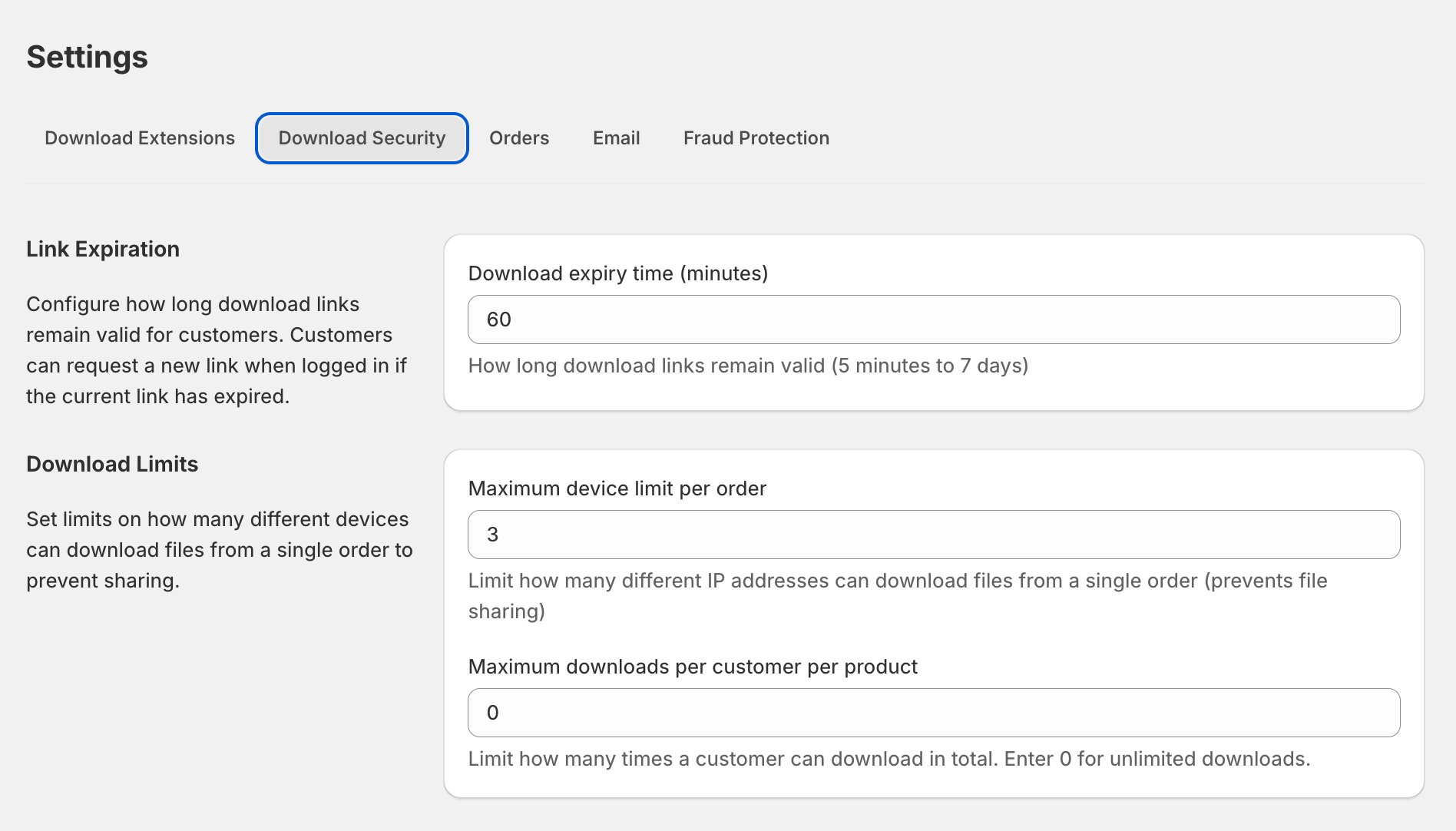
2. Set the Download expiry time
In Link Expiration, edit Download expiry time (minutes). Range is 5 to 10080 minutes (5 minutes to 7 days). Short windows stop shared links working for long; longer windows cut resend-link tickets.
3. Set the per-customer download limit and save
In the limits card, edit Maximum downloads per customer per product. Enter 0 for unlimited, or a positive number to cap reuse — the count is per customer, per product, summed across devices. Click Save.
Override the count limit for one order
To raise the cap for one specific order without changing global settings, run the Grant download access Shopify Flow action against that order. The override is stored on the purchase record and takes precedence. Run the action again with a lower value to roll back.
Shopify Flow editor with the Alva Digital Downloads "Grant download access" action selected. Show the action card with the "extra downloads" input field. No real customer data visible.
What customers see when they hit a limit
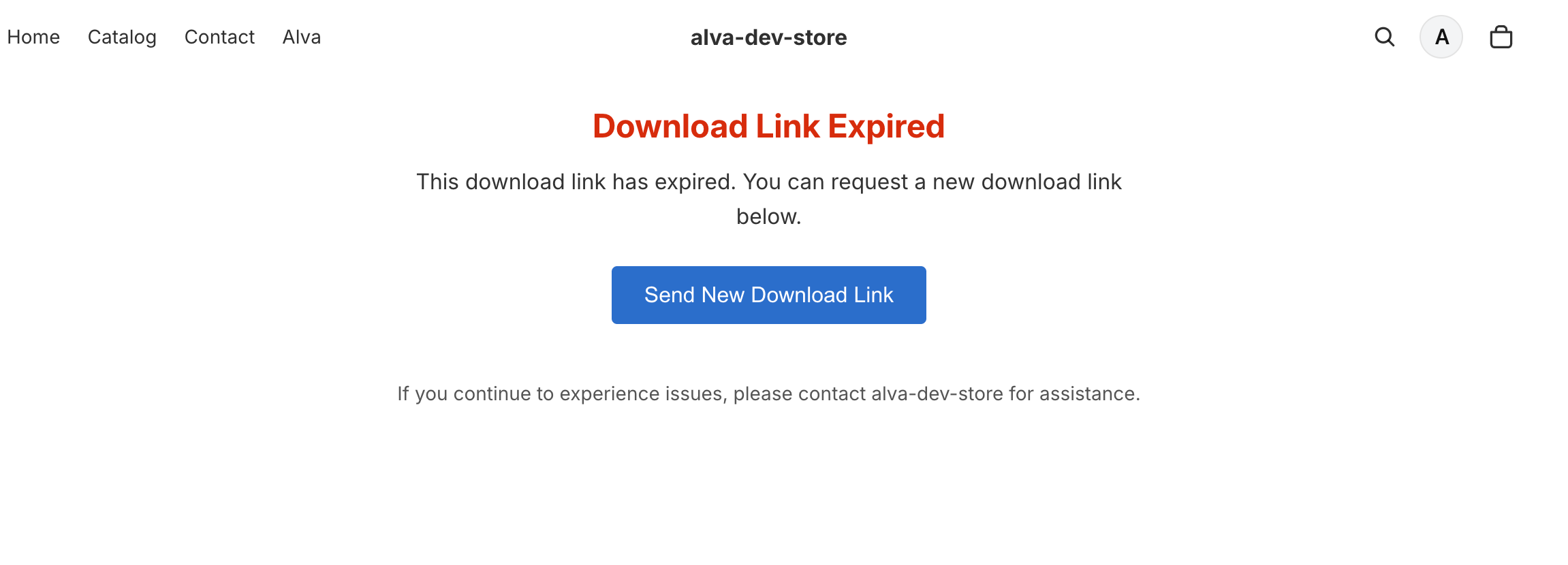
Hitting the count cap renders a limit-reached page from /apps/alvadigitaldownloads/download naming the maximum allowed and your contact email. An expired link redirects to the resend page where the customer requests a fresh URL — provided the count cap is not also exhausted.
Limitations
The count is per customer, per product — two products in one order gets a separate quota for each. The expiry timer measures from when the link is issued, not from the order date — a fresh resend resets it. To loosen the cap for one customer, see Reset download limits for a customer.
Frequently asked questions
Most merchants set 5 — covers two devices, a reinstall, and headroom. High-piracy categories (fonts, Lightroom presets) work at 2 to 3. Leave 0 (unlimited) for recurring B2B buyers.
No. Alva increments the counter only when a download actually starts. Closed tabs and network errors before bytes flow do not count.
Set Maximum downloads per customer per product to 0 to remove the count cap. Expiry cannot be disabled, but at 10080 minutes and with the resend page on, customers can request a new link any time.
See also
Was this helpful?
Last updated 2026-05-06