How visit limits and expiry work for links
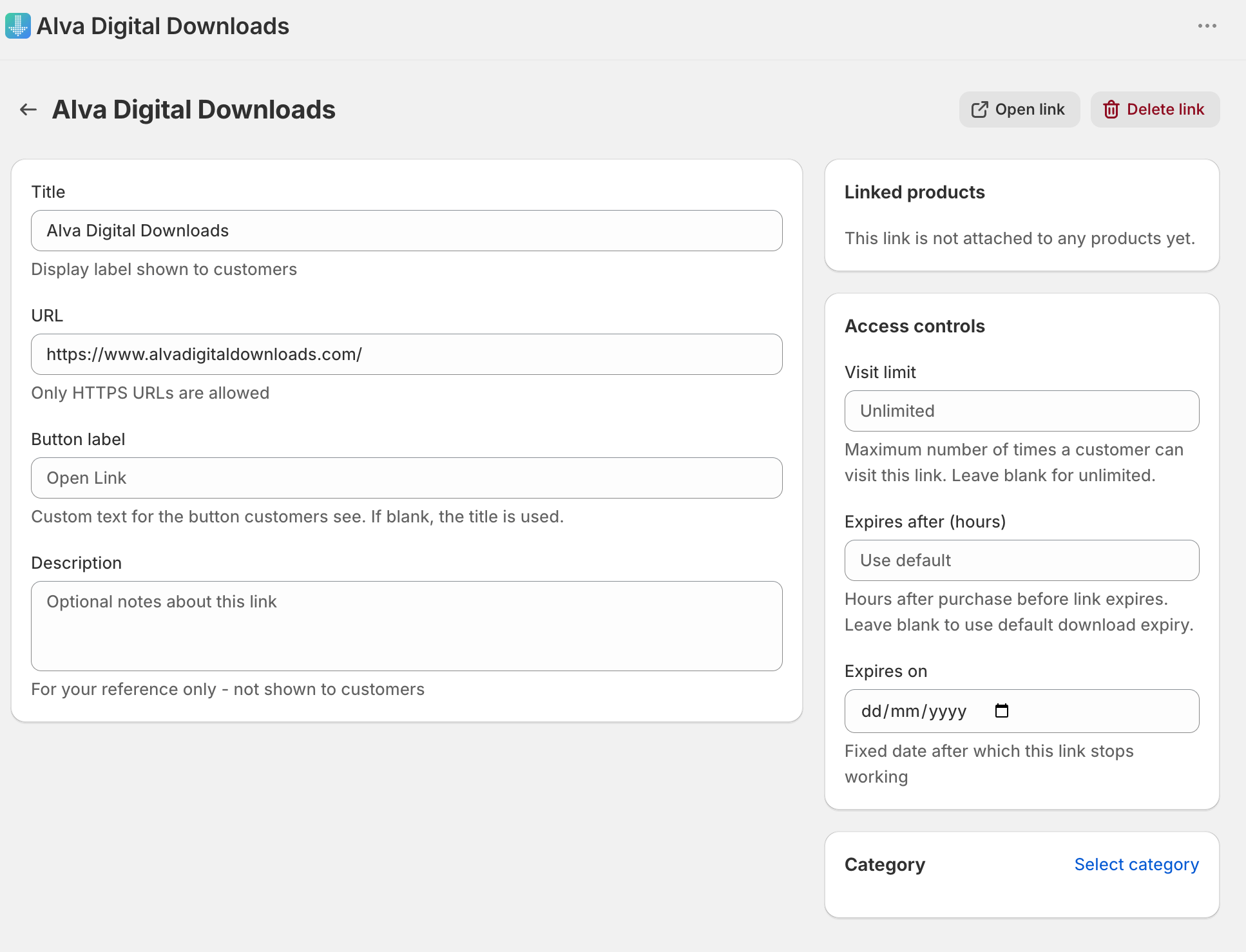
Each link stores three access-control settings: a visit cap (max visits per issued access link), a rolling expiry window from purchase date, and a fixed calendar expiry date. When a customer clicks the access link, Alva counts the visits already recorded against that access link and writes the new one atomically — two browser tabs racing the final allowed visit cannot both succeed. Every visit is logged with its timestamp and the visitor's IP address. A blank field means that axis is unlimited. The count belongs to the access link, not to the customer or the order: if the buyer requests a fresh delivery link — for example with the self-service button shown when a download link has expired — the new link arrives with a full allowance. Treat Max visits as a deterrent against casual sharing rather than a guaranteed number of visits per buyer.
Set defaults globally
Max visits and expiry live on each Link record — Alva does not store separate global defaults. To apply a consistent baseline across the catalogue, decide on the values once and reuse them.
- Pick baseline numbers. A common starting point is Max visits 5 and Expires after hours 720 (30 days). Use a tighter cap for streaming links (Vimeo, Loom), looser for community links (Discord, Notion).
- Apply the same numbers to every new link as you create it, in the Access controls card on the create page.
- To retrofit existing links, open each Link record and set the values there. Save updates every existing customer access link for that product.
Override per link
Override the baseline when one product needs different rules — for example, a one-off masterclass that should expire on a fixed date.
- In the Alva admin, click Links in the left navigation, then click the title of the link to change.
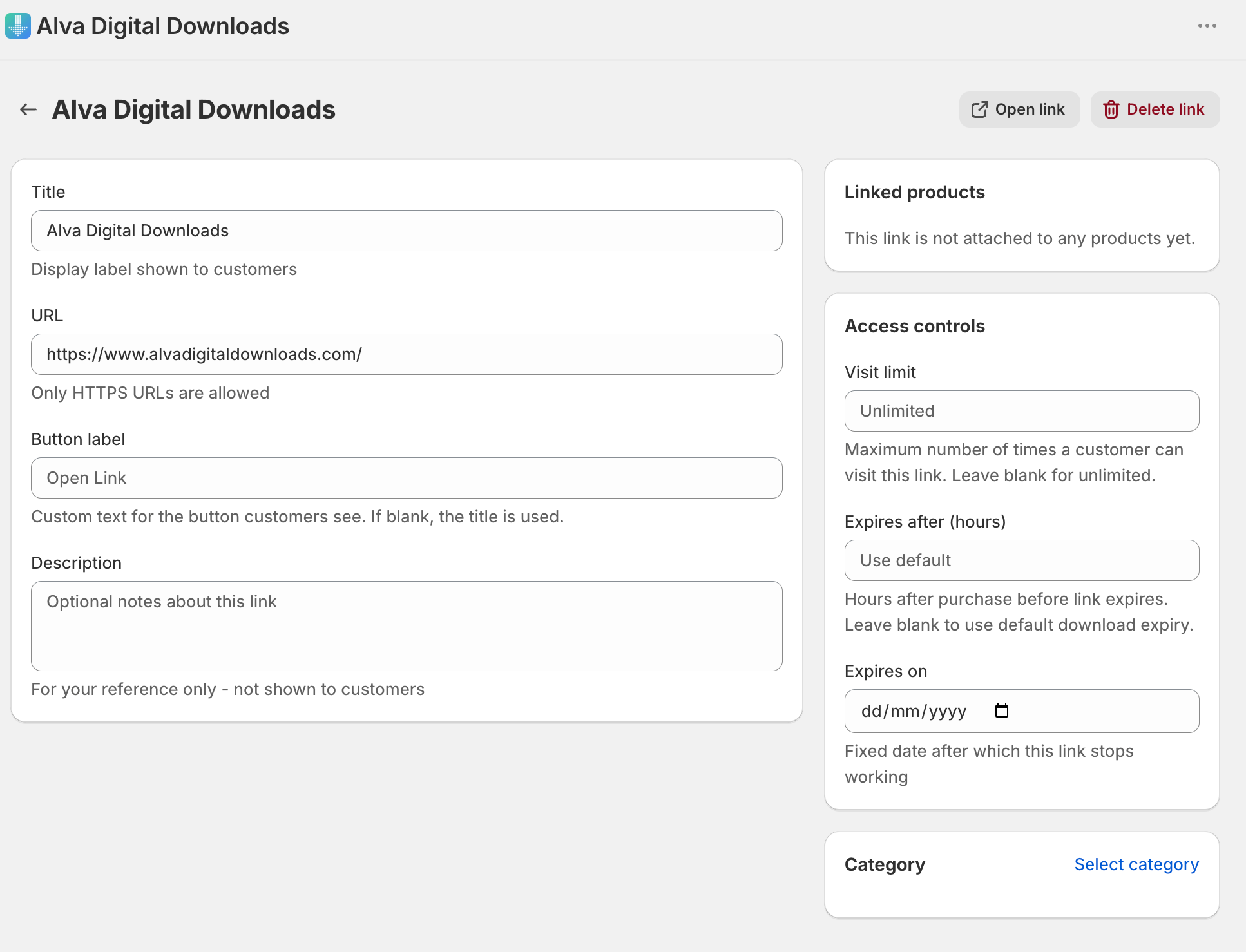
- In the Access controls card, set Max visits, Expires after hours, and Expires on. Leave any field blank to make that axis unlimited.
- Click Save. Existing access links enforce the new values on the next click; future orders pick them up automatically.
What customers see when they hit a limit
When a customer clicks an access link that has exceeded the visit cap, the rolling expiry, or the fixed expiry date, Alva does not redirect to the destination URL. The customer sees the same friendly limit-reached page used for file downloads, with a short message and a contact link. See Why your customer hit the download limit for the full message text and how to reset access for a specific buyer.
Combining with link rotation
If you re-issue the destination URL on the back end — for example, regenerating a private Vimeo Showcase link or moving a folder — edit the Link record and paste the new URL. Every existing customer access link continues to work because Alva serves the link through its own access proxy rather than handing out the raw destination URL. Visit counts and expiry timers continue against the same Link record across the rotation.
Frequently asked questions
Neither, strictly. The count is held against the individual access link Alva issued: it is not shop-wide — Alva keeps a separate count for each access link it issues — but it is not a per-customer or per-order guarantee either, because a buyer who requests a new delivery link receives one with the full allowance again. To stop a specific buyer for good, open the order in the Alva admin and use Disable Access: every access link issued for that order stops working immediately.
Yes. Expires after hours and Expires on are independent. The link fails the moment either one is exceeded — whichever hits first.
Yes. The Link record is the source of truth. Editing Max visits or expiry changes the rules for every existing customer access link on the next click.
See also
Was this helpful?
Last updated 2026-05-06